
How to promote a festival: a 12-week calendar
A week-by-week plan from the first announcement to the aftermovie: what to publish, which ads to run when, what to measure, and where festival budgets leak.

Adrian Ustinescu Founder of Raw Ideas, running it since 2015
In this article11 sections
- The calendar at a glance
- Weeks 12 to 9: give people a reason to care
- Weeks 8 to 5: sales open and ads scale up
- Weeks 4 to 2: close the sale
- Last week and the festival days
- After the festival
- A starting budget split by phase
- Measure the ticket page before you spend
- Seven common mistakes
- Where we come in
- Sources
Promoting a festival doesn’t start with the first ad, and it doesn’t end when the tickets sell. Between the first announcement and the day of the event there are weeks in which you have to reach an audience, build interest and turn site visits into sales. A good calendar helps you prepare each stage instead of improvising in the last days.
Here is a 12-week plan we start from when we promote a festival. It assumes one event with a fixed date, a ticket page and an ad budget. If you have less time, keep the order and squeeze the early weeks. For a shorter version, see the 8-week calendar on our events page.

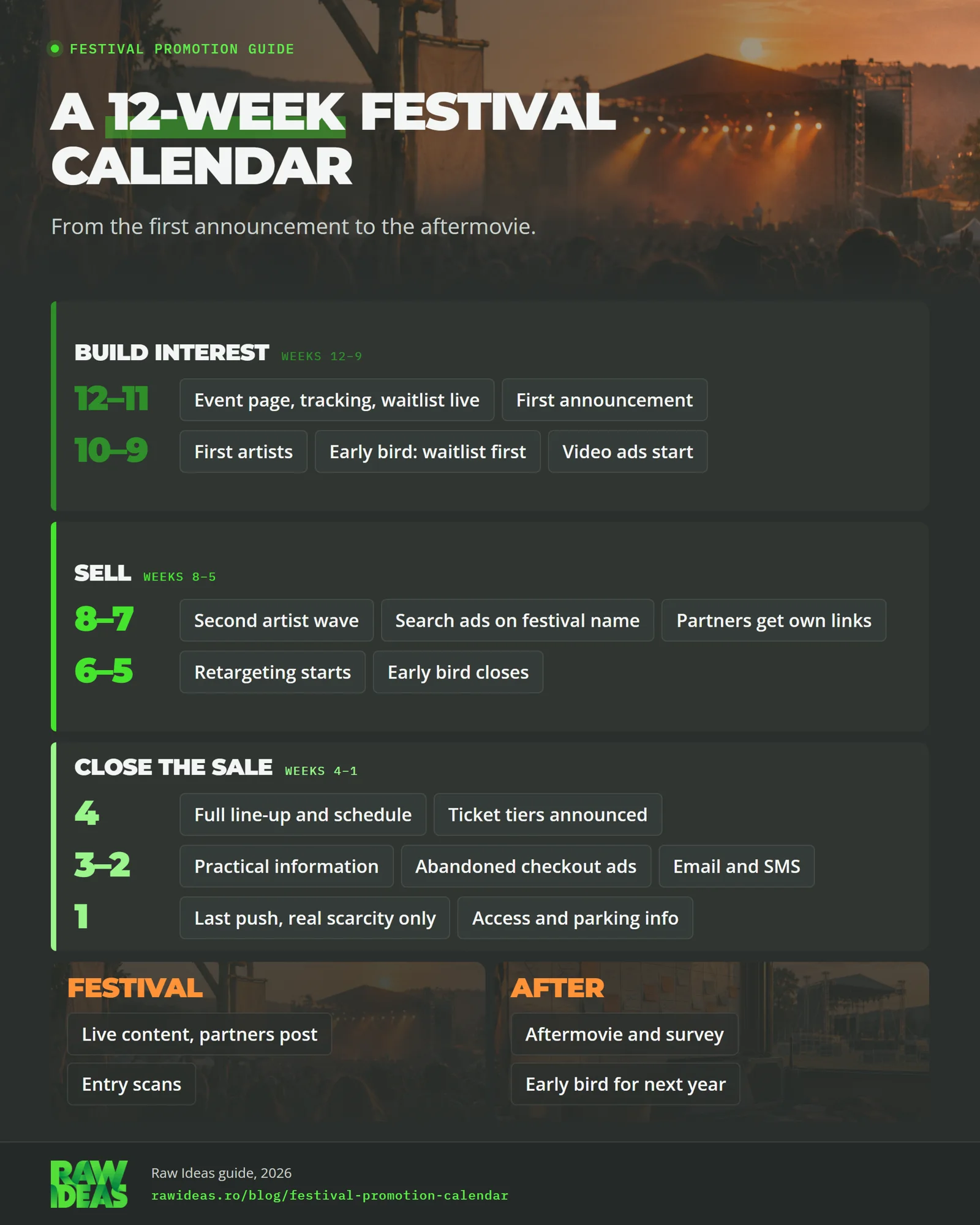
The calendar at a glance
| Week | What happens | Channels | What to measure |
|---|---|---|---|
| 12 to 11 | Event page, tracking and waitlist go live. First announcement. | Website, organic social, email | Waitlist sign-ups, visits by source |
| 10 to 9 | First artists. Early bird to the waitlist first, then public. Video ads start. | Meta, TikTok, creators | Cost per sign-up, early bird sales |
| 8 to 7 | Second artist wave. Search ads on the festival name. Partners get their own links. | Google Ads, partners, press | Tickets per partner link, brand search clicks |
| 6 to 5 | Retargeting starts. Early bird closes on the date you announced. | Meta, TikTok, Google | Cost per ticket by channel, checkouts started |
| 4 | Full line-up, schedule and ticket tiers. Venue and local search checked. | Press, Google, creators | Ticket page visit to purchase rate |
| 3 to 2 | Practical information. Ads for abandoned checkouts. Email and SMS. | Email, SMS with consent, retargeting | Checkout completion rate |
| 1 | Last push, only with real scarcity. Access and parking information. | All channels, narrow audiences | Sales by day |
| Festival | Live content, partners post, entry scans. | Organic, creators | Reach, tickets scanned against tickets sold |
| After | Aftermovie, survey, early bird for next year. | Email, social | Survey replies, next-year sign-ups |
Weeks 12 to 9: give people a reason to care
Start with the things that have to exist before any ad does. Build one event page with the date, the venue and a form for “tell me when tickets open”, with consent. Set up tracking on the page. Give every channel its own tagged link (UTM parameters), so a visit from a creator, a partner and an ad look different in your numbers.

Then make the first announcement, with the same message on every channel: date, place and the idea of the festival in one message. Post it on social media, on the site and by email, and give it to partners.
Around week 10, name the first artists. Open the early bird to the waitlist before anyone else. Its job is to move the first sales forward and to show you who buys. Close it on the date you published. Reopening it teaches your audience to wait.
Video ads on Meta and TikTok can start here. At this stage they aren’t necessarily after an immediate sale. They show the festival to people who don’t know it yet, so the goal is a visit to the event page or a waitlist sign-up.
Weeks 8 to 5: sales open and ads scale up
Announce the second wave of artists. Every wave is a new reason to write to your audience and to restart the ads.
Add Google Ads on the festival name and on the searches people use to find a festival like yours. Anyone who types the name is usually close to buying, and you want that buyer on your ticket page, not on a reseller’s.
Creators and partners play a big part at this stage. Give each one a brief, a tagged link and a clear reason their followers care, such as a pass to give away or an early look at the program. Press and event calendars belong in this stretch too, because their readers are looking for something to do.
At the same time, don’t skip local promotion. Partnerships with bars and venues, posters in the right places, local radio and city communities can put the festival in front of people that online ads don’t always reach.
From week 6, start retargeting, which Google Ads now calls your data segments. Build three audiences: people who visited the ticket page, people who watched a good part of a video, and people on the waitlist. Keep people who already bought out of sales ads.
Weeks 4 to 2: close the sale
Publish the full line-up, the schedule and the ticket tiers. Passes and day tickets are for different kinds of buyer, so each one needs its own message and its own page.
Check how the festival appears in local search. Search the name plus the city and see what Google shows. Check that the venue’s address and details are right and that your event page is what people find. Mark up the event name, date and venue on the page with Event structured data, which Google documents as a way to help people find events in Search. The venue owns its own listing, so ask them to confirm it is accurate.
Put the practical answers on the ticket page: how to get there, where to park, where to sleep, what the ticket includes. Late buyers usually have one unanswered question.
Ads for abandoned checkouts earn their place here, because the person already wanted a ticket. Email and SMS go only to people who gave consent. In the EU, the ePrivacy Directive (art. 13) requires prior consent for direct marketing by email, with a narrow exception for a company’s own existing customers.
Last week and the festival days
Use real scarcity only. “Last tickets” works when it is true and costs you trust when it isn’t. Send access details, the schedule and what to bring. Pause ads aimed at people who already bought.
During the festival, decide in advance who films, what gets posted and when. Ask partners to post during the festival. Scan tickets at the door, so you can compare tickets sold with people who came.
After the festival
Release the aftermovie within a week or two, while people still remember the weekend. Send a short survey, three questions at most. Thank the attendees. Then open an early bird for next year to the people who just came, with a list you collected with consent. They already know the festival, so they are the easiest buyers to reach.
Last, write the report: which channel sold, at what cost, and how many of the buyers showed up.
A starting budget split by phase
This is our judgement from planning festival campaigns, not an industry benchmark. Treat it as a first draft and move money toward what your own numbers show.
| Phase | Share of ad budget |
|---|---|
| Weeks 12 to 9, build interest | 20% |
| Weeks 8 to 5, sales | 30% |
| Weeks 4 to 2, closing and retargeting | 30% |
| Last week and festival | 15% |
| After, next-year list | 5% |
The split depends on lead time and on how fast tickets sell. The festival’s reputation, the ticket price and the pace of sales matter too. A new festival usually needs more in the first phase, because people don’t know it yet.
Measure the ticket page before you spend
Set these up before the first ad:
- A page view event on the event page and on the ticket page.
- A checkout-started event (in GA4,
begin_checkout). - A purchase event with the order value (
purchase, withvalueandcurrency). Google documents both in its GA4 ecommerce guide. - UTM parameters on every link, kept in a shared sheet.
- Consent set up properly, so tags fire according to each visitor’s choice (consent mode). In our experience, server-side tracking can improve the quality of the data you collect, while respecting each visitor’s consent choices. Meta’s Conversions API is one example: it sends website events to Meta from your server.
If you sell on an external ticketing site, there is a catch. The purchase happens on a domain you don’t control, so your ad accounts often don’t see the sale unless the platform passes the purchase back. Ask your ticketing platform whether it can:
- add your analytics and ad tracking to its checkout
- send purchase events to your analytics or ad accounts
- keep your UTM parameters through the checkout
- give you a sales report by source or by promo code
Get the answer before sales open, in writing. If the answer is no, give each channel its own promo code or link that the platform reports on, and compare daily ad spend with the platform’s daily sales. Then run a test purchase, if the platform allows one, and see where it shows up.
Seven common mistakes
- Ads before tracking. The first weeks of data are the hardest to get back.
- One announcement, then silence. Each wave of artists is a reason to write again.
- One page for every buyer. People who buy passes and people who choose day tickets need different pages.
- Retargeting people who already bought. Exclude them, or you pay to show ads to people who already have a ticket.
- Fake scarcity. If “last tickets” isn’t true, people notice.
- Practical information late. Travel, parking and lodging can decide the sale for people who are on the fence.
- Judging by likes. Judge by tickets sold per channel and what each ticket cost.
Where we come in
We build event websites and ticket pages, run the ads and set up the tracking. We don’t handle event production. If you want the calendar adapted to your festival’s date, talk to us, or see what we do for event organizers.
Sources
- Event structured data. Google Search Central.
- Measure ecommerce (begin_checkout, purchase). Google Analytics 4 developer guide, Google.
- Collect campaign data with custom URLs (UTM parameters). Google Analytics Help, Google.
- Consent mode support in Tag Manager. Google Tag Manager Help, Google.
- About your data segments (remarketing). Google Ads Help, Google.
- Conversions API. Meta for Developers, Meta.
- Directive 2002/58/EC on privacy and electronic communications, art. 13. EUR-Lex, European Union.
The budget split above is our own judgement, not taken from any of these sources.